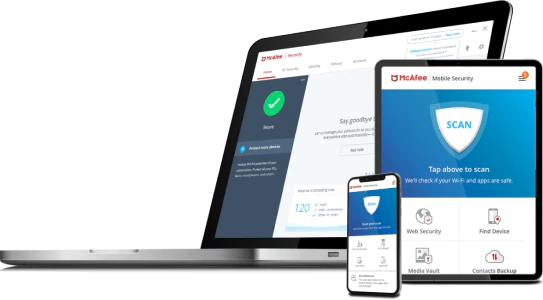
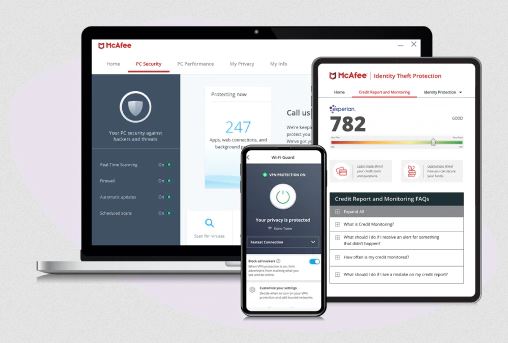
You may be familiar with the cybersecurity company McAfee as offering one of the major antivirus solutions. Recently they have expanded their offerings with McAfee Total Protection. If you are wondering what does McAfee Total Protection Include, you have come to the right place.
Comprehensive Internet Security:
What it isn’t? A run-of-the-mill standalone anti-virus.
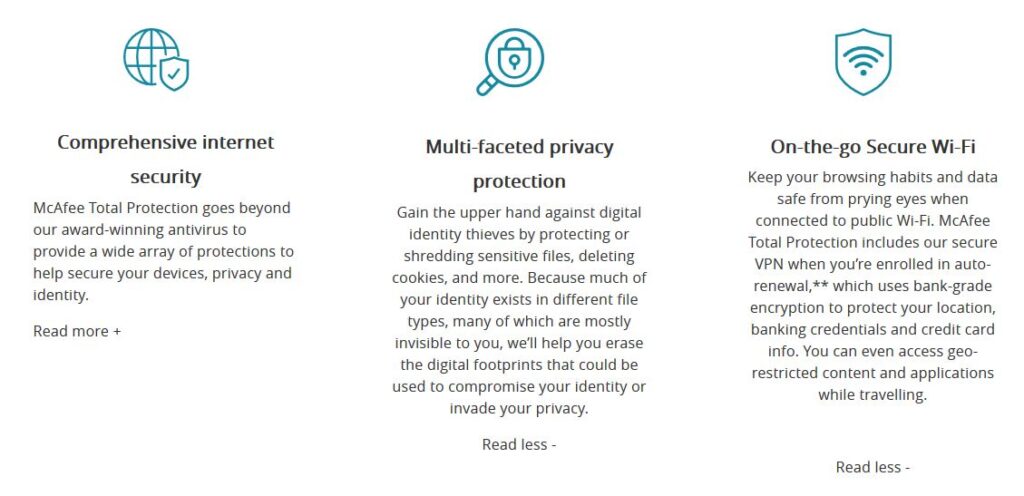
What it is? In short, McAfee Total Protection is a comprehensive internet security software solution for many devices.
In order to answer the question what does McAfee Total Protection include, we need to break it down by its major components.
At it’s core McAfee Total Protection is a 5-in-1 premium privacy and security software package.It replaces and consolidates the following 5 products into 1:I. Antivirus
II. Password manager
III. Virtual private network (VPN)
IV. Secure file deletion
V. File encryption
You may be wondering what does this mean to you and how do these 5 products relate to one another?
However, if you are already using these standalone products, congratulations. You are leaps and bounds ahead of most people in terms of protecting your data and by extension, your privacy! (If data security and privacy protection were like a credit score, you would be well on your way to an 850)
In that case feel free to skip to the bottom and see how much money you can save by consolidating.
On the other hand, if some of those 5 products listed above sound like a foreign language to you, keep reading.
I’ll take you step-by-step breaking down the question, what does McAfee Total Protection include?
Each of the 5 components (yes there are additional components in McAfee Total Protection, however these 5 are what make-it or break-it from a holistic security perspective) will either get a NETPRAETOR thumbs-up, or thumbs-down raking. At the end of the review a final overall thumbs-up or thumbs-down will be given.
Antivirus:
Lets just say that the antivirus component puts the “total” in McAfee Total Protection. This is especially true for Windows users who stand to benefit the most from this extra layer of protection.
An excellent antivirus software application will help to protect your computer against malware and cybercriminals. It will scan data on your computer or device, searching applications, software, files, and web pages.
While it is doing that it will monitor the behavior of all programs and search for known threats. Abnormal behavior will be flagged and malware will be removed or blocked.
With the McAfee Total Protection antivirus software you will have the following capabilities:
Schedule automatic scans
Identify targeted files to delete malicious software
Verify the security of your computer and other devices
Choice between individual file scans or entire computer scans
Delete malicious software and codes
Without this basic piece of security software the door to your most sensitive information is left wide open.
McAfee Total Protection 2020 Antivirus = NETPRAETOR Thumbs-up
Password Manager:
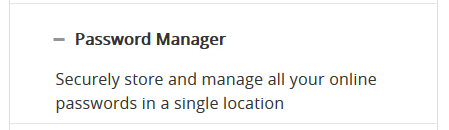
Next up is the password manager. I am a firm believer that a quality password manager is foundational to your online data security and privacy.
With a password manager you start to load new and existing passwords into your password vault.
Your password vault uses very strong encryption to keep your passwords safe. McAfee Total Protection True Key password manager uses AES-256, one of the strongest encryption algorithms available.
That level of device based zero-knowledge encryption means your passwords belong to you and you alone.
Building on that foundation of security, all you have to do is create a master password for your vault. Once that is done, memorize your new master password, setup a second-factor authentication and enjoy the stress relief that comes with only having to remember ONE password!
An excellent Virtual Private Network does 2 things. Encrypt your internet traffic reliably and at least claims to have a no logging policy.
Those 2 elements are what make an excellent consumer VPN. For example, encrypting your traffic protects you if you are visiting a coffee shop and using their untrusted Wi-Fi. It will prevent eavesdroppers on untrusted networks from being able to see what you are doing.
Secondly, a VPN provider who adheres to a no-logs policy is protecting your privacy from their own networks. This is important because when you turn on your VPN, that VPN provider is now becoming your de facto internet service provider (ISP).
If part of your rationale for using a VPN stems from not liking your ISP logging and selling your information, then a VPN who logs traffic defeats that purpose.
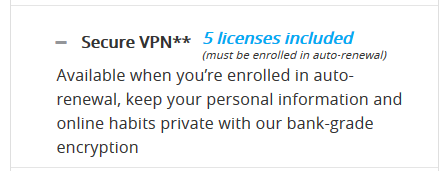
Does McAfee Total Protection include VPN? McAfee owns TunnelBear VPN as well as its own off-shoot VPN called Safe Connect VPN which is what you get with McAfee Total Protection.
Unfortunately, McAfee Total Protection Safe Connect VPN has a known logging policy in place. On the bright side, at least McAfee is honest about it.
Aside from that it does everything else a VPN is intended to do. If you are okay with McAfee becoming your ISP when you turn on their VPN its not a bad deal as part of the overall package.
McAfee Total Protection 2020 Safe Connect VPN = NETPRAETOR Thumbs-down
IV. Secure File Deletion:
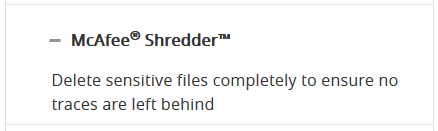
Secure file deletion is an often overlooked aspect of protecting your data and your privacy. Have you ever, lost, sold, or given away a computer or device? If you have, sensitive files on your computer or device can be recovered.
That is where McAfee Total Protection QuickClean Shredder comes into play. It allows you to securely delete sensitive files and internet session cookies so that files you don’t want to be recoverable, are not.
Having this often overlooked feature of secure file deletion is an excellent benefit for your privacy.
McAfee Total Protection 2020 QuickClean Shredder = NETPRAETOR Thumbs-up
V. File Encryption:
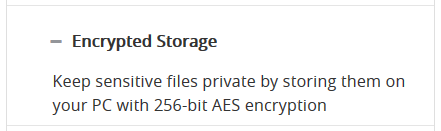
Last but not least is the ability to encrypt individual files and folders you choose. McAfee Total Protection File Lock enables you to setup password protected drives on your computer hard drive.
These drives are stored securely with 256-bit AES encryption. They will only appear after you have unlocked them using your password. If you are not already encrypting your entire hard drive (NETPRAETOR recommendation, always enable full-disk encryption if available) this is the next best thing.
Additionally, if you already use full-disk encryption, the files stored in File Lock essentially have a double layer of encryption when the computer is powered off.
McAfee Total Protection 2020 File Lock = NETPRAETOR Thumbs-up
Pricing:
Okay, you no longer need to wonder what does McAfee Total Protection include? In most cases, the main types of products it seeks to replace all cost money to purchase individually.
If your next question is McAfee worth it 2020?
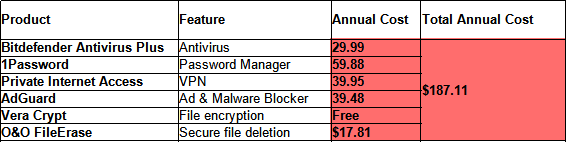
Here is a breakdown of what you would pay if you purchased each product from competitors individually:
As you can see $187.00 every year for these products is a bit pricey.
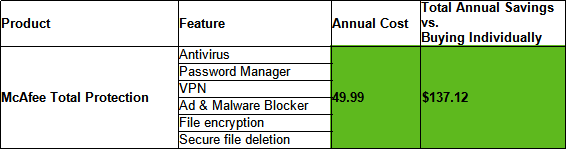
Here is the cost for the first year of McAfee Total Protection Family for 10 devices and the BEST deal:
At 49.99 that is over a $130.00 SAVINGS when compared to buying individually!
What Does McAfee Total Protection Include?
McAfee Total Protection is not a standalone antivirus. This premium software package is designed to take your data privacy and security goals to the next level.
As an all-in-one solution it gives you immediate access to 5 critical security tools which are evern more important in our COVID-19 world.
As a bonus you even gain access to Identify Theft Protection Essentials so you even have a service similar to Life Lock, another potential cost savings.
McAfee Total Protection Overall Ranking = NETPRAETOR Thumbs-up
If you enjoyed this McAfee Total Protection review please share or comment below!
Out of the box Windows 10 is not a NETPRAETOR recommended operating system. However, when paired with OO ShutUp10, a lightweight application made by the reputable software developer O&O Software GmbH.
Windows 10 now becomes a NETPRAETOR acceptable operating system.
I understand that you may have to use Windows 10 for work, entertainment, or outright preference. I’ll be the first to agree that it is the best operating system for certain business needs and PC gaming.
If you are using Windows 10 and also found this website, I’m assuming that you care at least a little, about your online privacy and would like to take steps to improve it.
Well there is great news for you!
The capability to do so does not reside only with hackers and people who have computer science degrees.
You don’t have to go on using Windows 10 everyday thinking you are powerless to limit the data leaking from your operating system like a sinking ship leaks water.
OO ShutUp10 is the solution to using Windows 10 more confidently from a privacy perspective.
There are 4 main reasons you should be running OO ShutUP10 on your Windows 10 computer.
I. Adapt your security settings II. Protect your privacy III. Control locations services IV. Do not pass on your user data and diagnostics
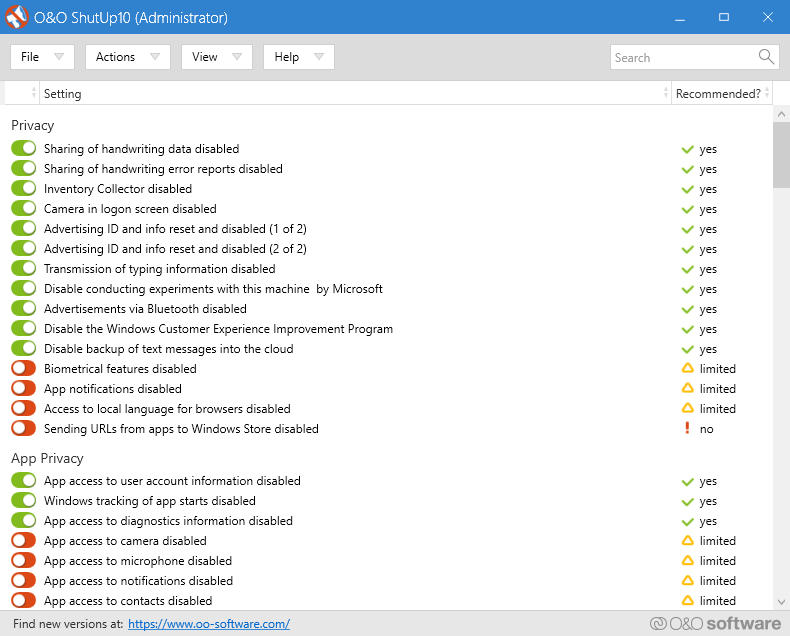
In all, OO ShutUp10 gives you complete control over 160 data points of information leakage simply by toggling on or off.
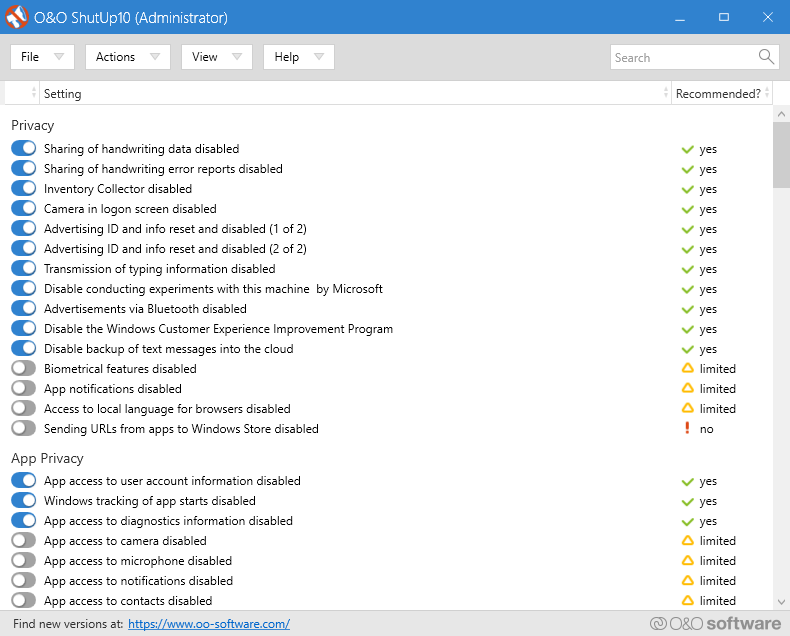
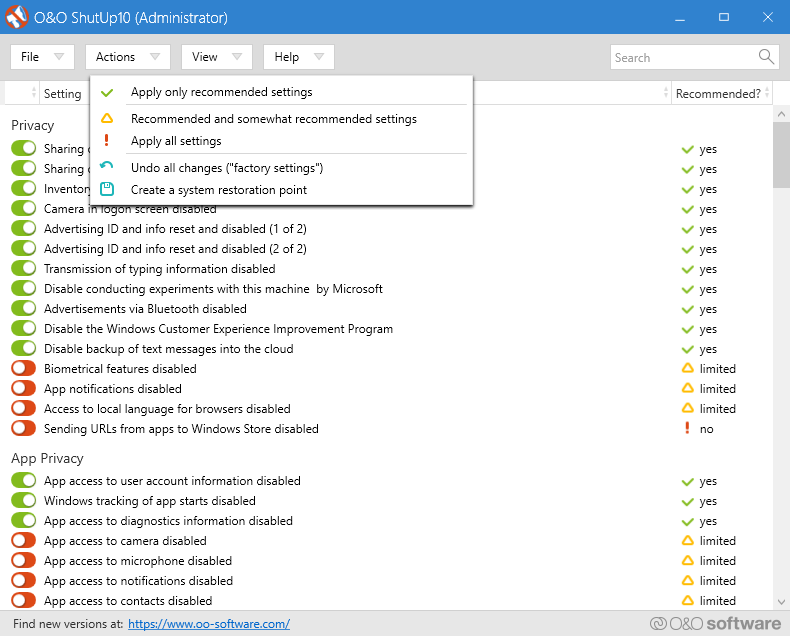
All you have to do is download the OO ShutUp10 Software, open the program (it’s so lightweight it doesn’t even install) and under the actions menu select “Apply only recommended settings”.
It’s that simple.
If you are a privacy enthusiast, I recommend creating a restore point and then go-to-town with the no-less than 160 toggle options.
Happy patching of data leaking holes.
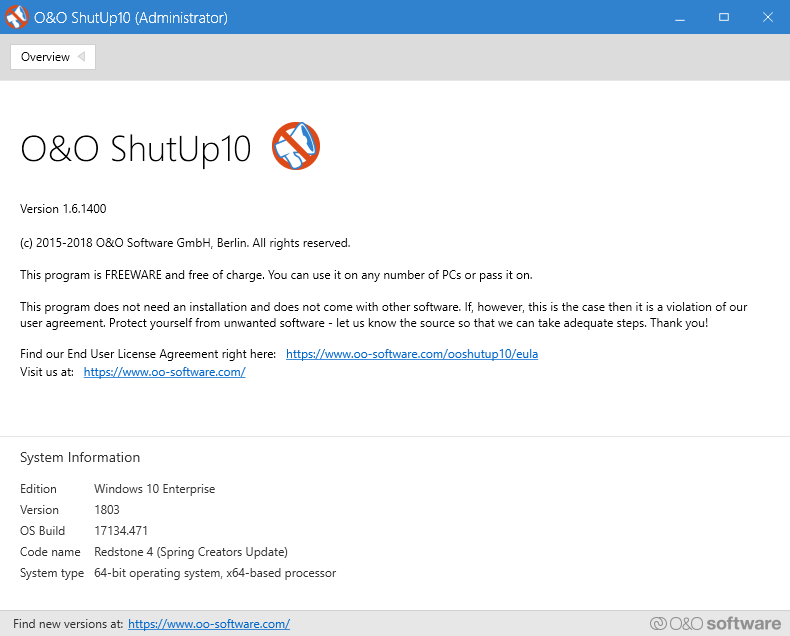
You may be wondering, can I trust the developer O&O Software GmbH and their so called “freeware”?
Well, O&O Software GmbH are the makers of O&O AppBuster. O&O AppBuster is another outstanding tool for uninstalling bloatware and garbage that Microsoft likes to equip default Windows 10 with.
O&O Software GmbH also happen to be one of the few European software companies authorized to provide software delivery to the North Atlantic Treaty Organization (NATO).
You know, that primary defensive pact between the United States and Europe, the longstanding bulwark of the West.
If O&O Software is good enough for NATO, I’m pretty sure it’s also good enough for most individuals and small businesses wanting to shore up their Windows 10 privacy leaks.
I hope you found this information beneficial towards your privacy goals.
If you enjoyed this article, please share or comment your thoughts below!
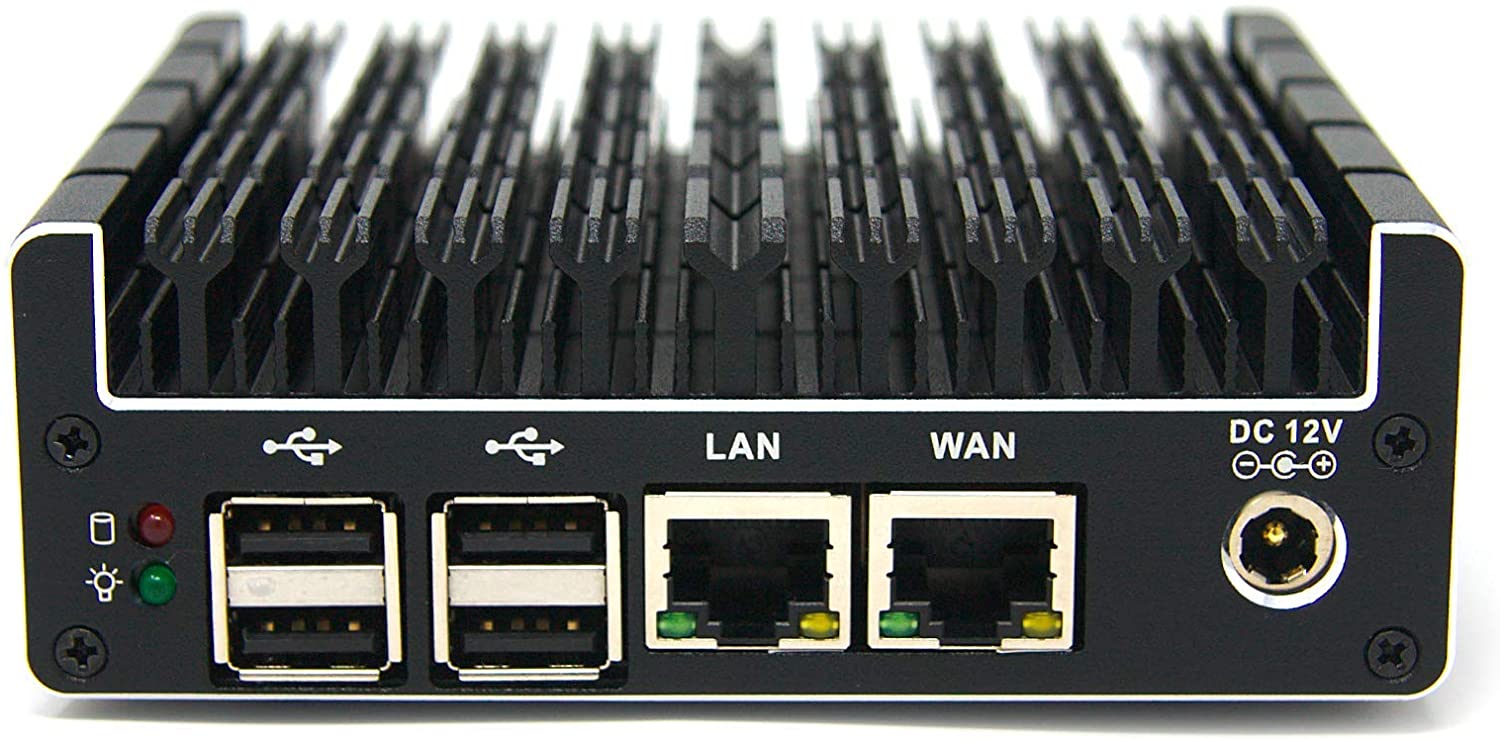
If you are currently looking for a new home router or small business router, then a Protectli Vault best pfSense hardware could be right for you.
If you are not looking for a new router at this time and are primarily working online from home due to the COVID-19 pandemic I highly recommend you reconsider that decision.
This is especially true if you are using a basic off-the-shelf Linksys or NETGEAR router, or worse yet, using the router and modem provided by your ISP.
Gambling on the above mentioned gear as the cornerstone of your home network or small business network when so much relies upon it, such as work and entertainment, is risking sub-par performance at best and extended periods of downtime at worst.
In 2020 it just dosen’t make sense to be running thousands of dollars in internet connected devices such as laptops, tablets, smart phones, and game consoles to name a few, only to have their functionality reliant upon a $100 piece of cheap plastic provided by your ISP or purchased at BestBuy.
In contrast, when you combine the raw hardware power of the all-metal fan-less Protectli Vault and the open-source software capabilities of pfSense, there is just no comparison to the consumer routers sold by Linksys and NETGEAR, let alone the junk modem and router combinations offered by ISP’s.
There are 5 main reasons a Protectli Vault is the best pfSense hardware and worth upgrading to.
I. Enhanced Secuirty
All Protectli Vault models come with two BIOS options. You can select either the standard AMI (American Megatrends) BIOS or Coreboot BIOS.
The NETPRAETOR recommendation is to select the Coreboot BIOS. Coreboot is open-source and free of back-doors while AMI is closed-source, which means none of us beyond AMI know whats really happening behind the scenes.
A Protectli Vault with Coreboot BIOS is a large factor in being the best pfSense hardware as it allows for a predominantly open-source operating environment.
II. VPN Configurations
The Protectli Vault loaded with pfSense allows you to take your VPN protection to the next level. As the best pfSense hardware you can create a dedicated VPN router that allows all devices on your network to run on a VPN even if they don’t support the native VPN software application.
If you’re data security and data privacy needs demand it, you can also configure a VPN kill-switch. That way, if your VPN connection goes down the Protectli Vault pfSense router will automatically halt all traffic and preventing the exposure of your real IP address.
Most excellent VPN providers offer OpenVPN configurations which is what allows you to setup the Protectli Vault pfSense hardware as a VPN router.
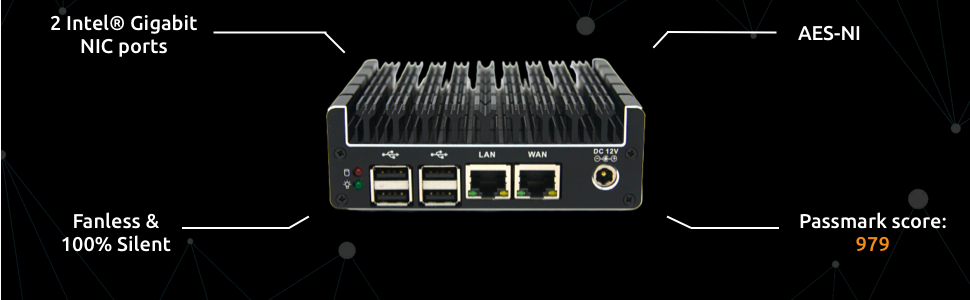
Another powerful feature the Protectli Vault pfSense hardware can leverage is the Intel CPU Advanced Encryption Standard New Instructions (AES-NI) standard which vastly improves the speed of VPN encryption and decryption.
This means that for VPN providers which offer it, you can run much stronger encryption settings than other routers without AES-NI. Non AES-NI routers simply are not be able to process stronger encryption or would experience vastly degraded performance if they did.
III. Network Management
As nice as it is to run a Protectli Vault the best pfSense hardware as a dedicated OpenVPN client, in reality, it dosen’t always play nice with entertainment services such as Netflix and Amazon Prime who will sometimes block VPN traffic.
That is where the Protectli Vault pfSense hardware network management capabilities excel and outperform the competition.
Using either additional ports on the Protectli Vault or VLAN capabilities through pfSense you are able to segment your network traffic so only the devices you would want to run through the VPN do so.
For example if you have an Apple TV or Amazon Firesitck you can omit those from the VPN by creating a separate internal network that routes traffic normally through your ISP.
VPN or not network segmentation is a great practice to improve your networks security, performance, and redundancy.
With VLAN’s for example you can create as many private networks as you need such as one dedicated for work, one for personal computers, and one for smart home devices, and another for guests.
These are all capabilities very much needed in the COVID-19 world yet completely lacking in the offerings from Linksys, NETGEAR, and ISP provided junk.
Finally, Protectli Vault pfSense Hardware easily supports bandwidth speeds up to Gigabit
IV. Failover Capability
For absolutely mission critical needs such as online gaming and Netflix, Protectli Vault pfSense hardware supports the following failover tolerance.
Multi-Wan – This feature provides you the ability to have and additional internet connection. For example, a primary cable internet connection automatically backed up by a secondary cellular connection.
Common Address Redundancy Protocol (CARP) – Allows you to have multiple routers which share a virtual IP address. In case one router goes down then the other router will automatically take over.
V. Support
Both Protectli Vault and pfSense are backed by companies who offer quality support for their respective products. In addition, there is much online documentation for both Protectli Vault and pfSense. Finally, there are a multitude of forums with individuals actively contributing and supporting each other with their Protectli Vault pfSense projects.
Protectli Vault Best pfSense Hardware?
In summary Protectli Vault the best pfSense hardware for home networks and small business networks.
When compared against off-the-shelf routers at a retail store or ISP provided units, the enhanced security, OpenVPN Client, Network Management, Failover, and Support for Protectli Vault pfSense hardware cannot be beat.
Remember, in the COVID-19 era your homes internet connectivity is now just as mission critical as the office you used to work at.
We use cookies to ensure that we give you the best experience on our website. If you continue to use this site we will assume that you are happy with it.