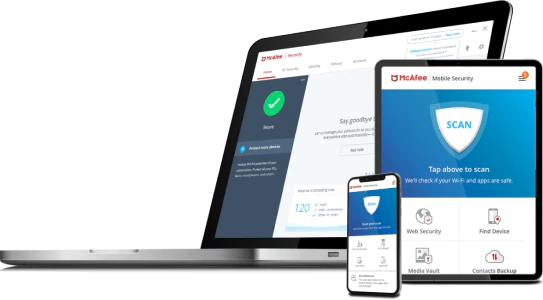
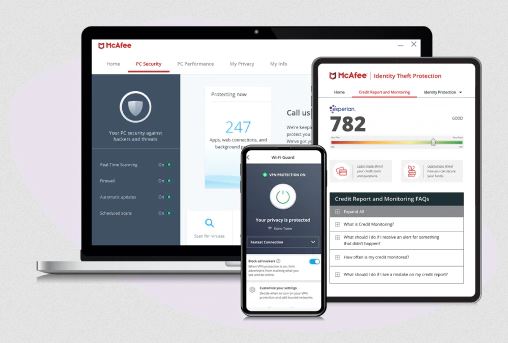
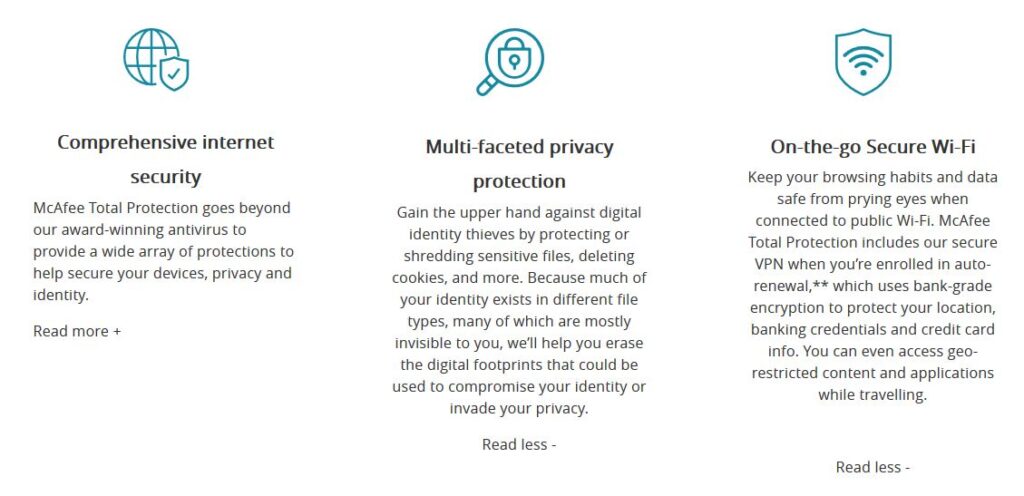
You may be familiar with the cybersecurity company McAfee as offering one of the major antivirus solutions. Recently they have expanded their offerings with McAfee Total Protection. If you are wondering what does McAfee Total Protection Include, you have come to the right place.
Comprehensive Internet Security:
What it isn’t? A run-of-the-mill standalone anti-virus.
What it is? In short, McAfee Total Protection is a comprehensive internet security software solution for many devices.
In order to answer the question what does McAfee Total Protection include, we need to break it down by its major components.
At it’s core McAfee Total Protection is a 5-in-1 premium privacy and security software package.It replaces and consolidates the following 5 products into 1:I. Antivirus
II. Password manager
III. Virtual private network (VPN)
IV. Secure file deletion
V. File encryption
You may be wondering what does this mean to you and how do these 5 products relate to one another?
However, if you are already using these standalone products, congratulations. You are leaps and bounds ahead of most people in terms of protecting your data and by extension, your privacy! (If data security and privacy protection were like a credit score, you would be well on your way to an 850)
In that case feel free to skip to the bottom and see how much money you can save by consolidating.
On the other hand, if some of those 5 products listed above sound like a foreign language to you, keep reading.
I’ll take you step-by-step breaking down the question, what does McAfee Total Protection include?
Each of the 5 components (yes there are additional components in McAfee Total Protection, however these 5 are what make-it or break-it from a holistic security perspective) will either get a NETPRAETOR thumbs-up, or thumbs-down raking. At the end of the review a final overall thumbs-up or thumbs-down will be given.
Antivirus:
Lets just say that the antivirus component puts the “total” in McAfee Total Protection. This is especially true for Windows users who stand to benefit the most from this extra layer of protection.
An excellent antivirus software application will help to protect your computer against malware and cybercriminals. It will scan data on your computer or device, searching applications, software, files, and web pages.
While it is doing that it will monitor the behavior of all programs and search for known threats. Abnormal behavior will be flagged and malware will be removed or blocked.
With the McAfee Total Protection antivirus software you will have the following capabilities:
Schedule automatic scans
Identify targeted files to delete malicious software
Verify the security of your computer and other devices
Choice between individual file scans or entire computer scans
Delete malicious software and codes
Without this basic piece of security software the door to your most sensitive information is left wide open.
McAfee Total Protection 2020 Antivirus = NETPRAETOR Thumbs-up
Password Manager:
Next up is the password manager. I am a firm believer that a quality password manager is foundational to your online data security and privacy.
With a password manager you start to load new and existing passwords into your password vault.
Your password vault uses very strong encryption to keep your passwords safe. McAfee Total Protection True Key password manager uses AES-256, one of the strongest encryption algorithms available.
That level of device based zero-knowledge encryption means your passwords belong to you and you alone.
Building on that foundation of security, all you have to do is create a master password for your vault. Once that is done, memorize your new master password, setup a second-factor authentication and enjoy the stress relief that comes with only having to remember ONE password!
An excellent Virtual Private Network does 2 things. Encrypt your internet traffic reliably and at least claims to have a no logging policy.
Those 2 elements are what make an excellent consumer VPN. For example, encrypting your traffic protects you if you are visiting a coffee shop and using their untrusted Wi-Fi. It will prevent eavesdroppers on untrusted networks from being able to see what you are doing.
Secondly, a VPN provider who adheres to a no-logs policy is protecting your privacy from their own networks. This is important because when you turn on your VPN, that VPN provider is now becoming your de facto internet service provider (ISP).
If part of your rationale for using a VPN stems from not liking your ISP logging and selling your information, then a VPN who logs traffic defeats that purpose.
Does McAfee Total Protection include VPN? McAfee owns TunnelBear VPN as well as its own off-shoot VPN called Safe Connect VPN which is what you get with McAfee Total Protection.
Unfortunately, McAfee Total Protection Safe Connect VPN has a known logging policy in place. On the bright side, at least McAfee is honest about it.
Aside from that it does everything else a VPN is intended to do. If you are okay with McAfee becoming your ISP when you turn on their VPN its not a bad deal as part of the overall package.
McAfee Total Protection 2020 Safe Connect VPN = NETPRAETOR Thumbs-down
IV. Secure File Deletion:
Secure file deletion is an often overlooked aspect of protecting your data and your privacy. Have you ever, lost, sold, or given away a computer or device? If you have, sensitive files on your computer or device can be recovered.
That is where McAfee Total Protection QuickClean Shredder comes into play. It allows you to securely delete sensitive files and internet session cookies so that files you don’t want to be recoverable, are not.
Having this often overlooked feature of secure file deletion is an excellent benefit for your privacy.
McAfee Total Protection 2020 QuickClean Shredder = NETPRAETOR Thumbs-up
V. File Encryption:
Last but not least is the ability to encrypt individual files and folders you choose. McAfee Total Protection File Lock enables you to setup password protected drives on your computer hard drive.
These drives are stored securely with 256-bit AES encryption. They will only appear after you have unlocked them using your password. If you are not already encrypting your entire hard drive (NETPRAETOR recommendation, always enable full-disk encryption if available) this is the next best thing.
Additionally, if you already use full-disk encryption, the files stored in File Lock essentially have a double layer of encryption when the computer is powered off.
McAfee Total Protection 2020 File Lock = NETPRAETOR Thumbs-up
Pricing:
Okay, you no longer need to wonder what does McAfee Total Protection include? In most cases, the main types of products it seeks to replace all cost money to purchase individually.
If your next question is McAfee worth it 2020?
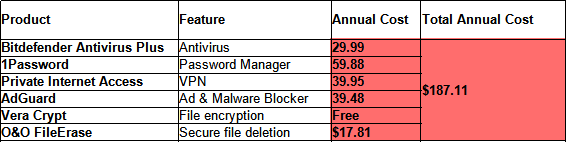
Here is a breakdown of what you would pay if you purchased each product from competitors individually:
As you can see $187.00 every year for these products is a bit pricey.
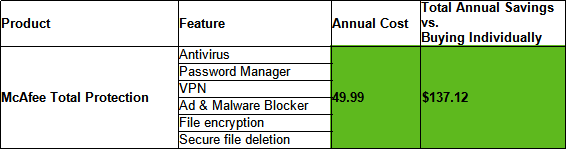
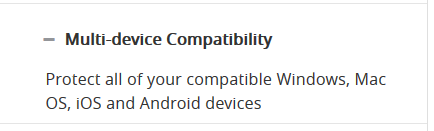
Here is the cost for the first year of McAfee Total Protection Family for 10 devices and the BEST deal:
At 49.99 that is over a $130.00 SAVINGS when compared to buying individually!
What Does McAfee Total Protection Include?
McAfee Total Protection is not a standalone antivirus. This premium software package is designed to take your data privacy and security goals to the next level.
As an all-in-one solution it gives you immediate access to 5 critical security tools which are evern more important in our COVID-19 world.
As a bonus you even gain access to Identify Theft Protection Essentials so you even have a service similar to Life Lock, another potential cost savings.
McAfee Total Protection Overall Ranking = NETPRAETOR Thumbs-up
If you enjoyed this McAfee Total Protection review please share or comment below!
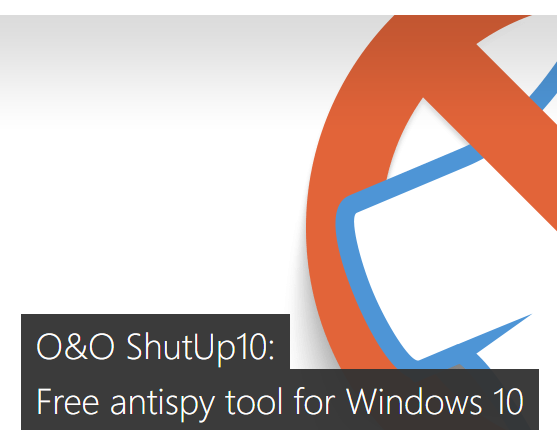
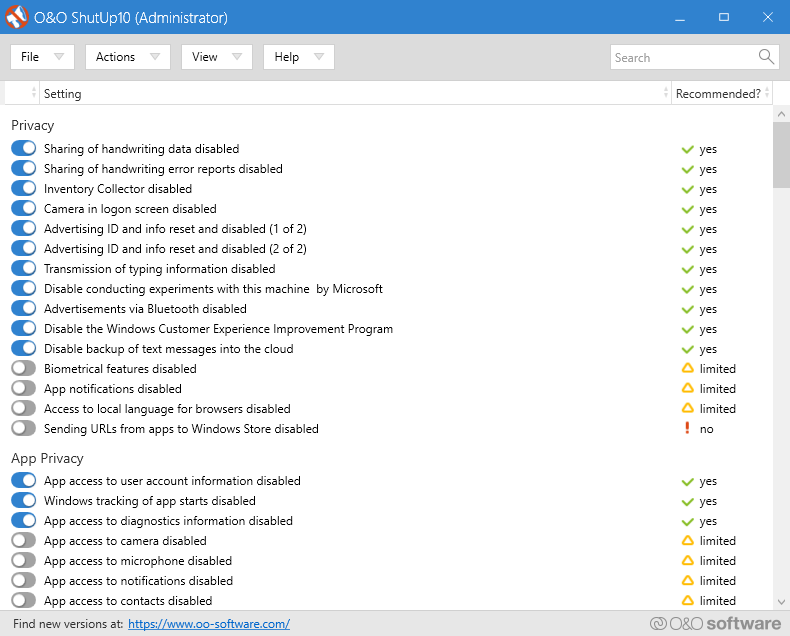
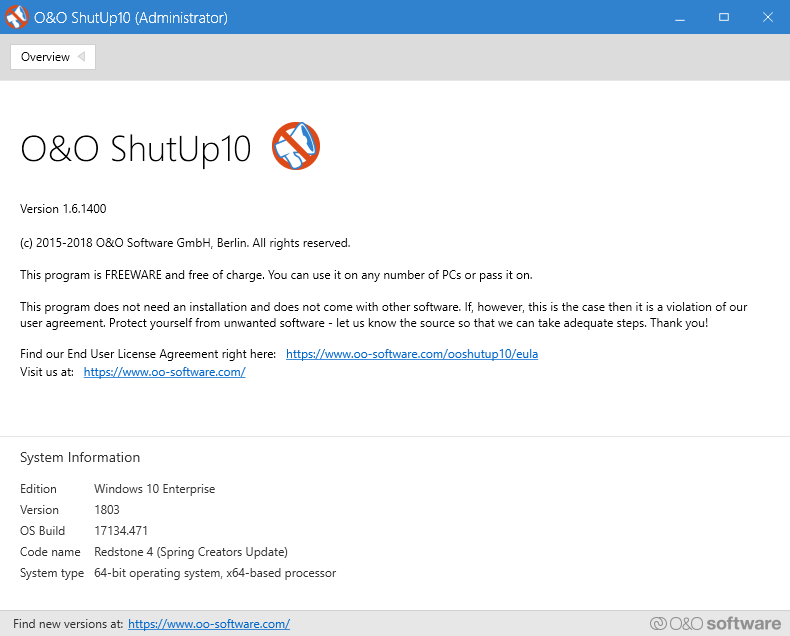
Out of the box Windows 10 is not a NETPRAETOR recommended operating system. However, when paired with OO ShutUp10, a lightweight application made by the reputable software developer O&O Software GmbH.
Windows 10 now becomes a NETPRAETOR acceptable operating system.
I understand that you may have to use Windows 10 for work, entertainment, or outright preference. I’ll be the first to agree that it is the best operating system for certain business needs and PC gaming.
If you are using Windows 10 and also found this website, I’m assuming that you care at least a little, about your online privacy and would like to take steps to improve it.
Well there is great news for you!
The capability to do so does not reside only with hackers and people who have computer science degrees.
You don’t have to go on using Windows 10 everyday thinking you are powerless to limit the data leaking from your operating system like a sinking ship leaks water.
OO ShutUp10 is the solution to using Windows 10 more confidently from a privacy perspective.
There are 4 main reasons you should be running OO ShutUP10 on your Windows 10 computer.
I. Adapt your security settings II. Protect your privacy III. Control locations services IV. Do not pass on your user data and diagnostics
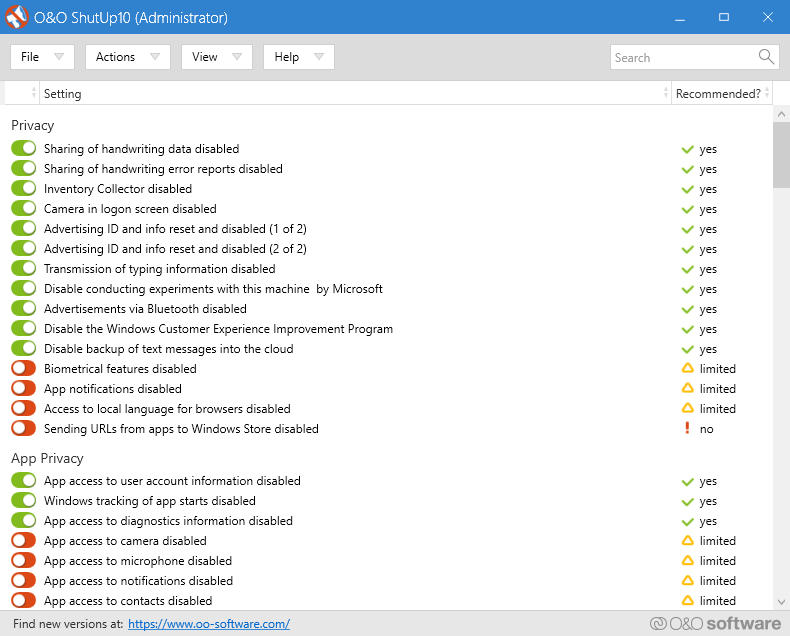
In all, OO ShutUp10 gives you complete control over 160 data points of information leakage simply by toggling on or off.
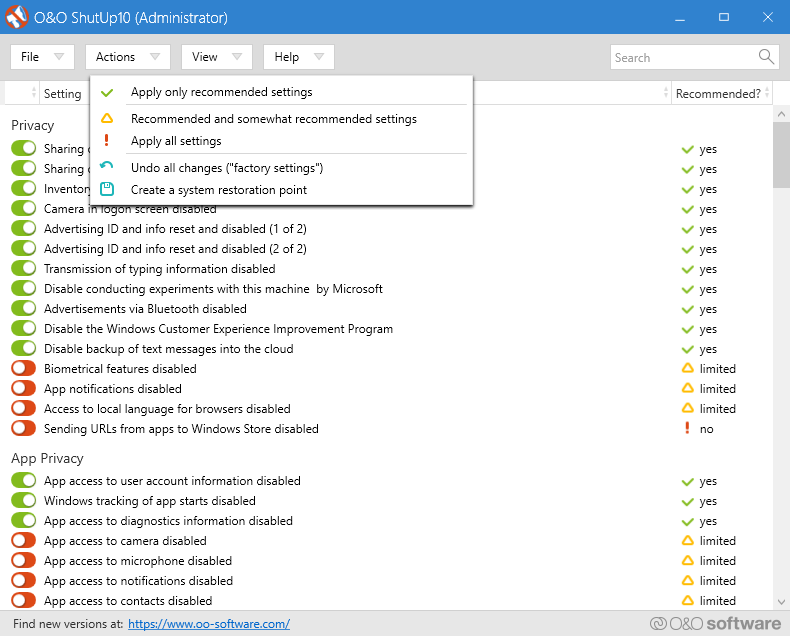
All you have to do is download the OO ShutUp10 Software, open the program (it’s so lightweight it doesn’t even install) and under the actions menu select “Apply only recommended settings”.
It’s that simple.
If you are a privacy enthusiast, I recommend creating a restore point and then go-to-town with the no-less than 160 toggle options.
Happy patching of data leaking holes.
You may be wondering, can I trust the developer O&O Software GmbH and their so called “freeware”?
Well, O&O Software GmbH are the makers of O&O AppBuster. O&O AppBuster is another outstanding tool for uninstalling bloatware and garbage that Microsoft likes to equip default Windows 10 with.
O&O Software GmbH also happen to be one of the few European software companies authorized to provide software delivery to the North Atlantic Treaty Organization (NATO).
You know, that primary defensive pact between the United States and Europe, the longstanding bulwark of the West.
If O&O Software is good enough for NATO, I’m pretty sure it’s also good enough for most individuals and small businesses wanting to shore up their Windows 10 privacy leaks.
I hope you found this information beneficial towards your privacy goals.
If you enjoyed this article, please share or comment your thoughts below!
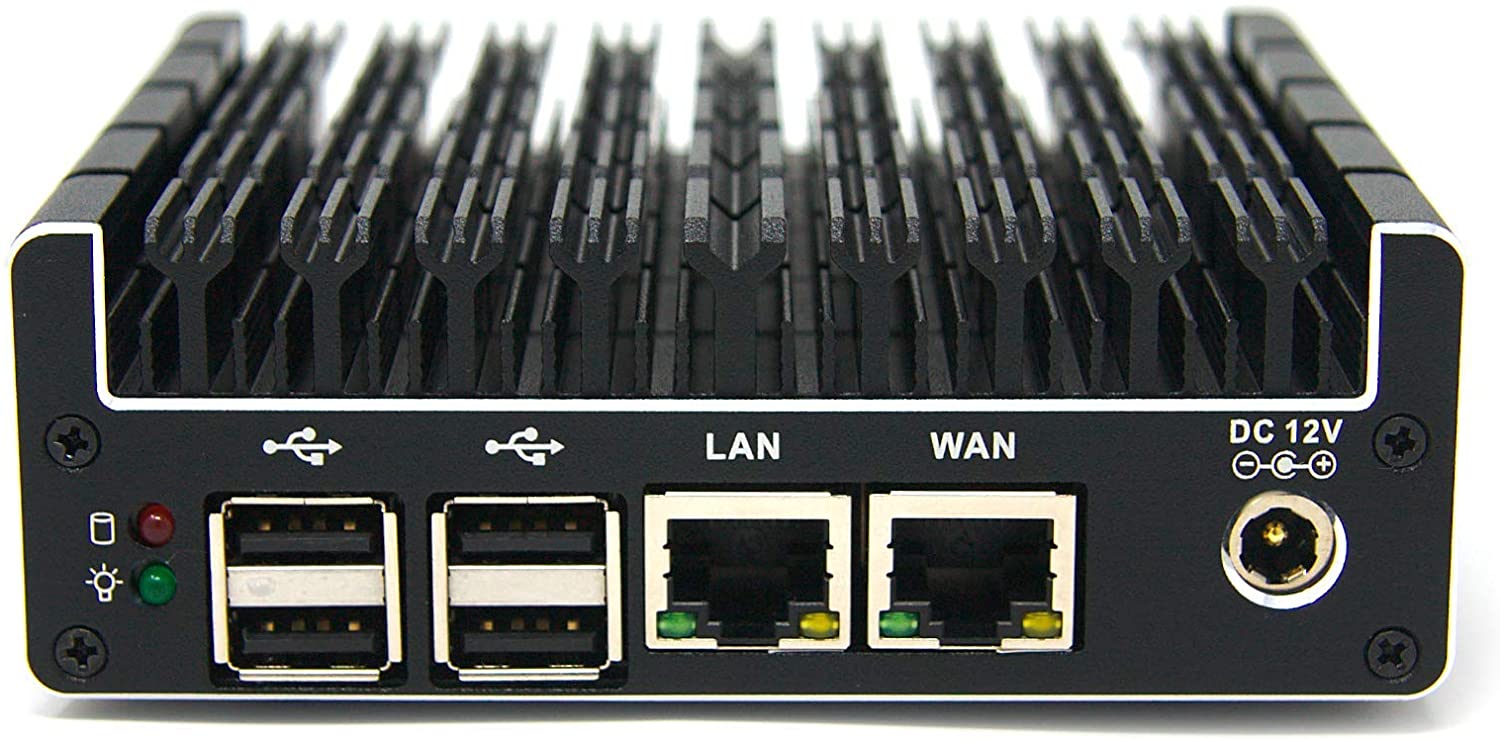
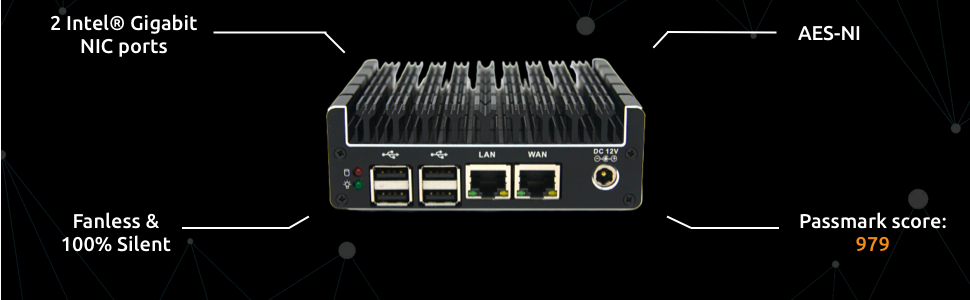
If you are currently looking for a new home router or small business router, then a Protectli Vault best pfSense hardware could be right for you.
If you are not looking for a new router at this time and are primarily working online from home due to the COVID-19 pandemic I highly recommend you reconsider that decision.
This is especially true if you are using a basic off-the-shelf Linksys or NETGEAR router, or worse yet, using the router and modem provided by your ISP.
Gambling on the above mentioned gear as the cornerstone of your home network or small business network when so much relies upon it, such as work and entertainment, is risking sub-par performance at best and extended periods of downtime at worst.
In 2020 it just dosen’t make sense to be running thousands of dollars in internet connected devices such as laptops, tablets, smart phones, and game consoles to name a few, only to have their functionality reliant upon a $100 piece of cheap plastic provided by your ISP or purchased at BestBuy.
In contrast, when you combine the raw hardware power of the all-metal fan-less Protectli Vault and the open-source software capabilities of pfSense, there is just no comparison to the consumer routers sold by Linksys and NETGEAR, let alone the junk modem and router combinations offered by ISP’s.
There are 5 main reasons a Protectli Vault is the best pfSense hardware and worth upgrading to.
I. Enhanced Secuirty
All Protectli Vault models come with two BIOS options. You can select either the standard AMI (American Megatrends) BIOS or Coreboot BIOS.
The NETPRAETOR recommendation is to select the Coreboot BIOS. Coreboot is open-source and free of back-doors while AMI is closed-source, which means none of us beyond AMI know whats really happening behind the scenes.
A Protectli Vault with Coreboot BIOS is a large factor in being the best pfSense hardware as it allows for a predominantly open-source operating environment.
II. VPN Configurations
The Protectli Vault loaded with pfSense allows you to take your VPN protection to the next level. As the best pfSense hardware you can create a dedicated VPN router that allows all devices on your network to run on a VPN even if they don’t support the native VPN software application.
If you’re data security and data privacy needs demand it, you can also configure a VPN kill-switch. That way, if your VPN connection goes down the Protectli Vault pfSense router will automatically halt all traffic and preventing the exposure of your real IP address.
Most excellent VPN providers offer OpenVPN configurations which is what allows you to setup the Protectli Vault pfSense hardware as a VPN router.
Another powerful feature the Protectli Vault pfSense hardware can leverage is the Intel CPU Advanced Encryption Standard New Instructions (AES-NI) standard which vastly improves the speed of VPN encryption and decryption.
This means that for VPN providers which offer it, you can run much stronger encryption settings than other routers without AES-NI. Non AES-NI routers simply are not be able to process stronger encryption or would experience vastly degraded performance if they did.
III. Network Management
As nice as it is to run a Protectli Vault the best pfSense hardware as a dedicated OpenVPN client, in reality, it dosen’t always play nice with entertainment services such as Netflix and Amazon Prime who will sometimes block VPN traffic.
That is where the Protectli Vault pfSense hardware network management capabilities excel and outperform the competition.
Using either additional ports on the Protectli Vault or VLAN capabilities through pfSense you are able to segment your network traffic so only the devices you would want to run through the VPN do so.
For example if you have an Apple TV or Amazon Firesitck you can omit those from the VPN by creating a separate internal network that routes traffic normally through your ISP.
VPN or not network segmentation is a great practice to improve your networks security, performance, and redundancy.
With VLAN’s for example you can create as many private networks as you need such as one dedicated for work, one for personal computers, and one for smart home devices, and another for guests.
These are all capabilities very much needed in the COVID-19 world yet completely lacking in the offerings from Linksys, NETGEAR, and ISP provided junk.
Finally, Protectli Vault pfSense Hardware easily supports bandwidth speeds up to Gigabit
IV. Failover Capability
For absolutely mission critical needs such as online gaming and Netflix, Protectli Vault pfSense hardware supports the following failover tolerance.
Multi-Wan – This feature provides you the ability to have and additional internet connection. For example, a primary cable internet connection automatically backed up by a secondary cellular connection.
Common Address Redundancy Protocol (CARP) – Allows you to have multiple routers which share a virtual IP address. In case one router goes down then the other router will automatically take over.
V. Support
Both Protectli Vault and pfSense are backed by companies who offer quality support for their respective products. In addition, there is much online documentation for both Protectli Vault and pfSense. Finally, there are a multitude of forums with individuals actively contributing and supporting each other with their Protectli Vault pfSense projects.
Protectli Vault Best pfSense Hardware?
In summary Protectli Vault the best pfSense hardware for home networks and small business networks.
When compared against off-the-shelf routers at a retail store or ISP provided units, the enhanced security, OpenVPN Client, Network Management, Failover, and Support for Protectli Vault pfSense hardware cannot be beat.
Remember, in the COVID-19 era your homes internet connectivity is now just as mission critical as the office you used to work at.
In the sea of browser extensions offering adblocker capabilities with varrying degrees of success, one stands out from the crowd, AdGuard.
AdGuard is primarily an adblocker, however its so much more than a simple browser extension such as uBlock Origin and Privacy Badger.
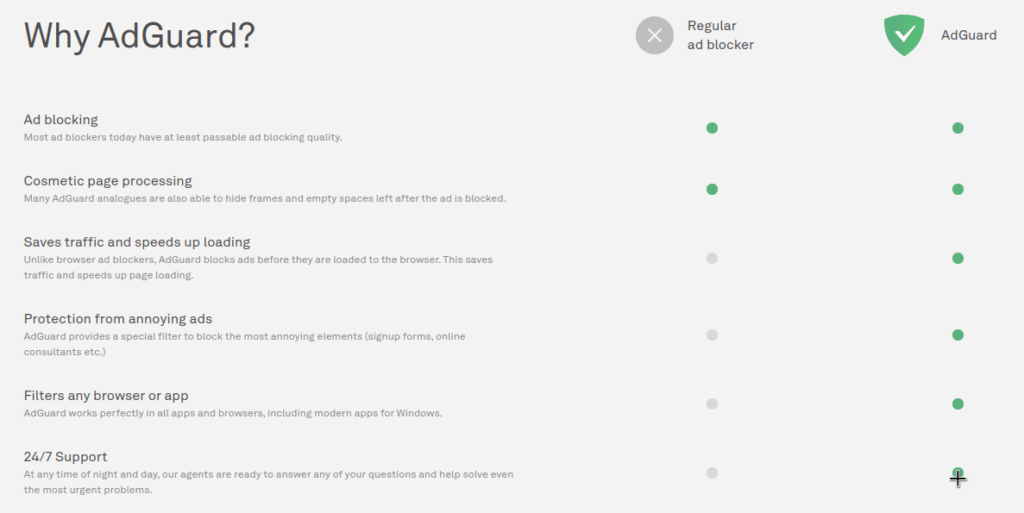
For example, where those two extensions are purely limited to their selection of compatible browsers, AdGuard software functions at the system level.
This system level functionality expands the protections from a single browser to all traffic on the device, whether that traffic is from another application or browser without an extension.
As a browser agnostic and application agnostic piece of software, it positions AdGuard way ahead of the other adblocker extensions which simply run inside a given web browser.
This definitive guide to the AdGuard adblocker will give you everything to need to know in 2020 regarding its features, benefits, and how to obtain it and install it.
Why use AdGuard as your adblocker?
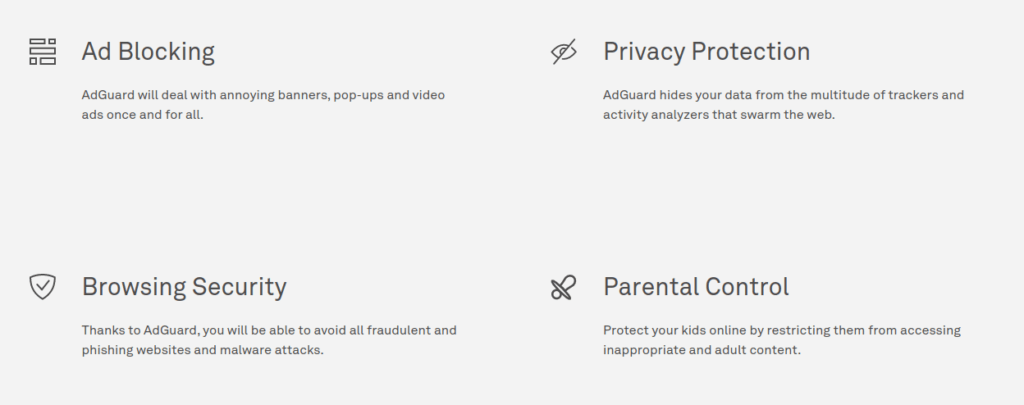
As mentioned above if your operating system of choice is Windows or MacOS, AdGuard is way more than a simple browser extension. The AdGuard software is a comprehensive solution that addresses four critical categories of data privacy and data security while using the internet.
I. Ad Blocking II. Privacy Protection III. Browsing Security IV. Parental Control
Ad Blocking
True to its namesake, AdGuard executes with precision on its primary objective of being an excellent adblocker.
It achieves this by by consistently removing more ads than other adblockers do. The fantastic adblocker ability is not limited to a single browser since the software integrates at the kernel level to provide system wide ad blocking. By default, this integrated service protects all of your other applications as well.
Finally, in the nanoseconds it takes to block annoying ads it not only gives your web browser a speed boost when the ads don’t load, it also will clean up the appearance of the web page from the blocked ads.
AdGuard does this in an effort to close the white space left by blocked ads and all this happens faster than you can blink an eye.
Privacy Protection
Given that most internet advertisements include some form of tracking mechanism, another great benefit of the AdGuard adblocker is that it’s automatically nullifying the vast majority of trackers.
Its worth reiterating that as a standalone program, this ad blocking and tracker blocking its happening system-wide and not limited to the browser.
Browsing Security
AdGuard maintains an updated list of known malicious websites propagating malware and phishing scams. AdGuard will automatically block these websites effortlessly without any speical configurations at the browser level.
Additionally, AdGuard maintains a separate list of websites it deems questionable and will warn you prior to visiting.
Parental Control
Even before the COVID-19 pandemic struck, forcing people around the world to change work environments and school environments it was of paramount importance for parents to restrict the internet access available to their children.
Now in a post COVID-19 world parents should be extra vigilent with most learning transitioning from pysical classrooms to predominantly online classes.
If you are a parent AdGuard gives you the tools to establish system level restrictions in order to prevent your children from accessing inappropriate online content.
How to get AdGuard and protect your data and your privacy today?
Since 2009 AdGuard has been designed by a team who values individual privacy rights and seeks to make their software as user friendly as possible.
To that end, it can be downloaded, installed, and operating with a license key in less than 5 minutes.
Whether your operating system is Windows, MacOS, or Android click on what applies to you below to start your download.
After downloading your system installer simply open the AdGuard program in order to purchase your license key and activate.
There are 4 licenses to choose from.
You can pay yearly for a personal plan supporting up to 3 devices
or
You can pay yearly for a family plan supporting up to 9 devices
or
Both the personal plan and the family plan also can also be purchased as a lifetime license.
AdGuard Adblocker: The Definitive Guide
If you care about blocking ads while reaping the benefits of privacy protection, browsing security, and parental controls, then AdGuard is absolutely the adblocker for you.
In less than five minutes you can try it out for yourself and see firsthand the benefits AdGuard has to offer.
Be sure to leave any comments in the section below!
This is an era where data privacy risks from internet connected devices involves your data being generated, propagated, analyzed, and stored by third-parties on a daily basis.
A large portion of your data being generated revolves around four main catageories of data privacy risks.
I. Domain Name Service (DNS) Leaks II. Email IP Leaks III. IPv6 Leaks IV. Browser/OS Fingerprinting
These data privacy risks are predominantly tied to your internet protocol (IP) address which reveals a lot of your online activities. When using devices on your home network or small business network you have two IP addresses to contend with, your internal private IP address and your external public IP address.
The internal network facing IP address, also known as the private network address is assigned uniquely to each device on your home network by your home router. The address only pertains to the communications between devices happening inside your network.
The external public IP address is assigned by your internet service provider (ISP) and usually represents only your home router or small business router which is then used by each device communicating on the internet. This public IP address represents all of the devices operating behind that home router or small business router.
DNS Leaks
For example, when your device requests a website address through a given website name, such as https://eff.org, it’s translated from those letters into actual IP address numbers. That translation is made possible by the the DNS servers your device is communicating with.
The role DNS servers play in your overall privacy and security on the internet is often overlooked. This is due to the fact that using a modem and router provided by your ISP means the default settings are communicating with their DNS severs.
ISP’s log all activity on their networks and even if a website you are visiting has a padlock symbol signifying encrypted traffic between your device and the website requested, DNS traffic is usually not encrypted. So in addition to your ISP keeping record of all sites you visit, other third parties have visibility into the unencrypted DNS traffic as well.
Should the test reveal that your settings are not achieving the desired outcome then you will have a starting point for identifying and making necessary corrections.
An excellent VPN service provider such as Private Internet Access will actually wrap all of your device traffic in strong encryption including DNS traffic and then route it through their servers, including their own DNS servers.
That shield against ISP traffic monitoring goes a long way towards increasing your online privacy and security.
Email IP Leaks
Another reason and use case for using a VPN service is that simple emails you send can also reveal your IP address.
If you are sending emails while connected to a VPN service then the IP address of the VPN server is revealed instead of your personally identifiable IP address.
IPv6 is the preemptive solution to the Internet’s problem of a dwindling pool of IPv4 addresses available. IPv6 vastly expands the TCP/IP identifiers that can be created.
IPv4 is still the prominent internet protocol in use today, however more ISPs are supporting IPv6 which means that is another avenue for a unique identifier which identifies you. If you have adjusted your router settings to disable IPv6 or use a VPN which claims to shield IPv6 leaks as well, then its highly recommended to test for IPv6 leakage here.
Browser/OS Fingerprinting
Finally, last but not least is browser and operating system (OS) fingerprinting. This is one of the most nefarious and privacy violating tracking methods currently used.
In essence, browser and OS fingerprinting involves capturing many unique data points about your web browser in-use and your operating system in-use. All the data points captured from your browser and OS, which are to numerous to list here are then compiled into a unique and traceable fingerprint across the internet.
So far the best defense to browser and OS fingerprinting is the herd approach. Meaning, you want your device to have identical specifications and settings along with the majority of other users. The more people producing the same browser and OS fingerprint waters down the tracking ability.
In summary, you’ve read about the perils of data leakage and 4 examples of data privacy risks stemming from DNS leaks, email IP leaks, IPv6 leaks, and browser/OS fingerprinting.
You may want to bookmark this page(Press Ctrl + D) and come back to test these areas of data leakage regularly as you work to adjust your settings and mitigate the data leakage.
For further reading on your public IP address vulnerabilities and why a VPN is so important I also recommend this article. What’s my IP?
Feel free to share your thoughts on data privacy risks below!
Among the few leading smart home automation kits available Apple HomeKit is most likely the least popular. That unpopularity compared to other smart home kits such as Google Nest and Amazon Alexa however, is not indicative of Apple HomeKit being sub-par.
The more likely reason for less consumer adoption is that individuals are unaware of how to use HomeKit, or they are more drawn to the marketing campaigns of the competition touting their vast numbers of compatible devices. Its no lie that Google Nest kits and Amazon Alexa kits have more devices to choose from.
In reality, having more smart home devices of the same type such as doorbells and cameras is not necessarily an advantage to them. It may sound good, however each compatible device for a given smart home ecosystem is a potential liability and weak link for a compromise of a home network or small business network if not properly vetted.
In contrast, having fewer devices compatible with Apple HomeKit is a sign of the Apple HomeKit stringent standards of security and quality prior to acceptance into the HomeKit ecosystem. Its those high standards which make Apple HomeKit extremely reliable, robust and more secure than the competition.
As mentioned in my previous post on connected car data and inexpensive home automation systems, Apple HomeKit is the only NETPRAETOR recommended home automation system at this time. This post will provide you with information on how to use HomeKit.
I. Hardware Requirements
Understanding how to use HomeKit requires a knowledge of the hardware elements needed to make it work. In this case when learning how to use HomeKit, it is broken down into three main hardware categories.
Hub – This is the brain of Apple HomeKit which synchronizes and processes all of the information inside your home and the cloud. Any AppleTV 4K, newer iPad, or HomePod can be designated the hub of the house.
NETPRAETOR recommends using an AppleTV 4K as the hub due to its ability to be hardwired via an ethernet cable to a router or switch for more reliable network performance and provides the option for more advanced configurations.
Home Controller – This is the nerve center of Apple HomeKit which sends commands to the various smart home devices.
The Home controller application is your personal iPhone or iPadthat you use on a daily basis. The HomeKit app is already built into your device and simply titled “Home”. If you have never opened it before it will prompt you to add your home when you do.
HomeKit Compatible Smart Devices – This is the body of the Apple HomeKit system made up of all the smart home devcies which execute the commands from the Home controller and processed by the hub.i.e. Turning off and on lights or activating a ceiling fan to work with your thermostat in cooling the home.
As much as the Apple HomeKit competition seeks to distract from how to use HomeKit by their claims of more devices, the devices compatible with Apple HomeKit are are too numerous to list here. You can rest assured though that if a device is Apple HomeKit compatible its one of the best devices on the market for that specific purpose and built to last.
Here are a few NETPRAETOR recommendations to select early when building a new smart home along with how to use HomeKit.
I’ve been using many of these products for 2 years now with absolutely no issues!
Once you have your hub designated, controller identified, and a few Apple HomeKit compatible devices, you are ready for the setup and configuration.
Thankfully, with all the right components present and installed correctly, this process can take less than 30 minutes.
Here is the breakdown on how to setup HomeKit:
Connect the hub device to your home network via ethernet cable or WiFi
Sign-in to the hub with the Apple ID you want to use as the primary
Within the settings of the hub device designate it as the HomeKit hub
Ensure the iPhone or iPad to be used as the controller is also signed-in with the same Apple ID as the hub device
Open the Home application on the iPhone or iPad to be used as the initial controller and add your home to be synced
Pick the first smart device you want to add first and follow the device manufacturer instructions for each device to be added
That’s all there is to it. When wondering how to use HomeKit the most daunting part is not usually the setup and configuration, instead it tends to be the analysis paralysis wondering where to start with all the options to choose from.
I went through that myself when learning how to use HomeKit and that is why I’ve made this post for you.
III. Sharing Access
This is the fun, part. Sharing access to those whom you designate can be a rewarding experience when teaching them how to use HomeKit, especially if it’s their first time getting the “keys” to a fully functional smart house.
Adding people is as simple as opening the Home application on your iPhone or iPad and tapping the home icon in the top left of the screen above your homes name.
From there a new window will open and all you need to do is type in the Apple ID of the people you want to grant access to your home devices.
As people you invite to Apple HomeKit accept the invitation, their names will appear on the screen that pops up after tapping the small home icon above your homes name on the primary screen.
Tapping their name will allow you to edit their permissions such as permitting them to add or remove accessories, or view camera live streams but not prior recordings.
From that point the sky is the limit on how your configure your system and continue to expand it.
How To Use HomeKit?
You just read about how to use HomeKit, the only NETPRAETOR recommended home automation solution at this time.
In terms of simplicity and security, this system is the best on the market with unique features such as Apple Secure Home Video and there are three main elements to consider when learning how to use HomeKit.
I. Hardware Requirements Hub –AppleTV 4k is the best HomeApp Controller – iPhone or iPad HomeKit Compatible Devices – Contrary to what the Apple HomeKit competition says, there are many high quality devices to choose from
II. Setup and Configuration Setting up the Hub and adding devices can take place in as few as six easy steps and under 30 minutes to complete.
III. Sharing Access Enjoying the fruits of your labor with family and friends
Good luck with building your Apple HomeKit and leave any feedback in the comments field below!
PART IX ON THE NETPRAETOR.COM OVERVIEW OF THE NINE MAIN CATEGORIES OF INFORMATION TECHNOLOGY WHICH HAVE THE MOST IMPACT ON END USER DATA PRIVACY AND DATA SECURITY THROUGH DAILY USE.
With 5G cellular connectivity being rolled out in locations around the world, love it or hate it, 5G is poised to empower the next wave information technology advancements. These advancements are focused on pushing automation forward and will be tied to connected car data and inexpensive home automation system data.
We are already seeing the current advancements as a foreshadowing of what is to come. Look at any car, truck or SUV built in the last 10 years, which most of us probably own and drive.
Every time the ignition switch is turned on and a smart phone plugged in, personal data such as location and contacts are being processed and shared.
This is in addition to actual data about your vehicle, such as mileage and maintenance.
Additionally, many people have multiple data producing smart devices installed in homes in addition to the smart phones carried every moment of every day.
The commonalities concerning privacy and security risks associated with connected car data and inexpensive home automation system data are numerous and will be discussed below.
Ties that bind
You may have an understanding that when your smart phone is with you while at home or away, it’s constantly transmitting and receiving data, most of which revolves around you.
What many people fail to consider are the inexpensive home automation system data risks and the connected car data risks. You don’t have to live in a mansion or drive a Tesla to be affected by either.
As mentioned above, if you drive a car manufactured in the last 10 years and have Apple Homekit, Amazon Alexa, or Google Nest Mini devices installed in your home or thinking about adding them, then this article is for you.
Depending on your own unique situation, it doesn’t hurt to review the risks associated with connected car data and inexpensive home automation system data. Here are some risks to consider when using these internet of things (IOT) devices.
I. Location and pattern-of-life data
In addition to your smart phone, both your car and your home will now give your location away. Combining connected car data and inexpensive home automation data and the location information about you becomes more detailed and precise.
For example, depending on how a smart home is configured it will identify what room you spend most time in, what time you eat dinner, and when you go to bed. Depending on video capture devices being utilized it may record you and anyone visiting your house while going so far as to conduct facial recognition.
The same goes for connected car data. When you link your smart phone to your car your location for routes and destinations are more accessible.
Data you are producing and sending out via connected car data and inexpensive home automation data goes beyond just your location. There are additional privacy and security implications which should be considered.
With so many people working from home, having these devices nearby could pose a privacy concern and may want to be considered before important meetings take place. These IOT devices also compile information such as what TV’s and Movies you watch and shopping habits.
After your smart phone is synced with your car it also uploads your contacts, messages, call history, and favorite locations to the vehicle and in some cases to cloud servers as well.
This may be fine if it’s a car you own and operate. However, what happens when you sync your phone to a rental car or company car? Guess what, that vehicle which you don’t own and operate regulary now has nearly a mirror image of your smart phone.
For some of us that could be a pretty sobering prospect, especially if you value your privacy. I mention this because in the past I’ve done exactly that and want others to learn from my mistake.
If the idea of strangers knowing your contacts, phone calls, messages, and frequent locations doesn’t sit well with you then keep reading. Although not without risk of possible compromises, there are ways to employ connected car data and inexpensive home automation data in a safe manner and enjoy the benefits that they do offer.
II. How to employ connected car data and inexpensive home automation data with reduced risk?
Now that you are aware of the risks here are many of the benefits that employing connected car data and inexpensive home automation data in your life can offer which revolves around convenience and safety.
i. Convenience
It can be helpful to receive alerts that a car needs maintenance prior to a breakdown.
Additioanlly, having the confidence that your home will automatically turn off lights when you leave and automatically turn them on upon arrival is a great feature.
ii. Safety
Depending on where you live you may have seen commercials for General Motors OnStar service which contacts first responders in the event of an airbag deployment and sends them to your location. That is a great potentially life-saving service which connected car data can be used for.
Additionally, an inexpensive home automation system with security cameras can deter home invasions and alert home owners too suspicious activity while smart smoke and CO2 alarms can automatically alert when smoke or carbon monoxide is detected.
As you can see there are great possibly life-saving benefits to be had by leveraging this technology. The key is to employ it smartly by using only devices that have the best reputations for privacy and security.
You have read about the increased risks to your personal data concerning location, habits, and security associated with automated homes and connected cars.
Thankfully though my own experience and research I’ve compiled a list of companies who more than just claim to be privacy and security focused, they put it into practice and act on it.
Each of these products has earned a NETPRAETOR thumbs up and is broken down by best use case.
As I mentioned at the beginning we are on the verge of a new automated era with the advent of 5G and beyond cellular technologies. As self-driving cars become a mass market reality in the next decade, the protection and integrity of their systems will be critical.
Do you want to drive in a car that gets hacked? GuardKnox is at the forefront of preventing that from happening. If you’re a consumer looking to buy a new Tesla or another automotive brand that has semi-autonomous autopilot capabilities, its worth discussing with the manufacturer if they offer Communication Lockdown technology. If they don’t ask them why. Enough consumers demanding safe and sound next generation vehicles will help to ensure they are built right.
If you own a small franchise repair shop or auto dealership, ensuring you’re facility has the knowledge and capabilities to service these automotive security technologies could keep your business future-proof and one step ahead of the competition.
This application addresses the concern I mentioned earlier in the post. What happens when you sell your car or return a rental with your synced smart phone data?
The Privacy4Cars application allows you too rapidly delete Personally Identifiable Information (PII) from vehicles, such as contact book, phone calls, text messages, navigation history, address history, and garage codes.
At this time Apple HomeKit is the only NETPRAETOR recommended home automation solution. Its not 100% private or 100% secure, however Apple is doing the best job currently at making the most private and most secure inexpensive home automation system on the market.
If you already have an iPhone or iPad it doesn’t take much to start building your kit. I’m providing some affiliate links below to help get you started and keep an eye out for a detailed post on correctly assembeling an Apple HomeKit automation system.
Apple TV 4K is the foundation to establishing your Apple HomeKit based smart home. Not only will this provide endless TV watching and Movie entertainment, it acts as the critical hub for your entire smart home. Without this (or an iPad / HomePod) your smart home aspirations are not possible.
This Lutron Caseta kit will give you the starting point for enabling hardwired smart dimmer switches throughout your entire home. I recommend this over the standard on/off switch starter kit as its more fun to have Siri adjust the light settings rather than just on or off.
Logitec Circle 2 is one of the few cameras that integrates with Apple HomeKit. It works with your Apple TV 4K to provide end-to-end zero knowledge encryption of your home video feeds. When setup correctly all video streams that run through Apple Homekit Secure Video will be encrypted by the Apple TV 4K in your house prior to being uploaded to the cloud.
Why live in fear of your footage being hacked or intercepted like Ring device users and other smart home system users do? This is one of main privacy and security advantages Apple brings to the table with HomeKit, elevating themselves way ahead of the competition.
What Does Connected Car Data and Inexpensive Home Automation System Data Have In Common?
If this is your first time reading a NETPRAETOR post on data privacy and data security, welcome. If you’ve been following along the last 5 months, this concludes the 9 part series of the main information technologies which have the most impact on end user data privacy and data security through daily use.
Look forward to new posts weekly and feel free to share your feedback in the comments section or let me know if there’s a topic you would like to hear more about.
PART VIII ON THE NETPRAETOR.COM OVERVIEW OF THE NINE MAIN CATEGORIES OF INFORMATION TECHNOLOGY WHICH HAVE THE MOST IMPACT ON END USER DATA PRIVACY AND DATA SECURITY THROUGH DAILY USE.
What Is Cloud Storage
If you’re someone who needs remote access to files without having access to your local storage systems, then chances are good a cloud storage solution can be right for you.
Setup properly, cloud storage provides you with the the ability to easily access and share files remotely without having direct access to the local storage device.
This ease of access and flexibility can provide you with time savings through quick accessibility on any device and redundancy through off-site backups and syncing among multiple devices.
As with anything and especially related to information technology that houses sensitive personal information, cloud storage strengths and weaknesses must be considered.
Starting with the bad news first I’ll go over cloud storage weaknesses, of which some are more important than others and can be deal breakers for use.
Cloud Storage Weaknesses
I. Cost
Without a doubt, when it comes to cloud storage you get what you pay for. Simply, a quality cloud storage solution is going to come with additional costs in one form or another whether that be monetary or trading your data.
As I mentioned in my other post talking about Virtual Private Networks (VPN’s), buyer beware when it comes to any information technology device, application, or service advertised as free.
99% of the time that so called free service is free because you are agreeing to give up your data when accepting their terms and conditions.
Whether paying for cloud storage with your currency or your data, taking a close look at the costs charged by any cloud storage provider is essential.
The monetary costs of quality cloud storage which respects end-user privacy can add up quickly if you are uploading and downloading large volumes of files to and from the cloud frequently.
II. Internet connectivity
Easy access to your data can quickly come to an end if no internet connection is readily available. Cloud storage strengths and weaknesses are predominately dependent on the availability of a reliable internet connection.
If the internet connection is good then large files can be accessed efficiently. If the internet connection is bad or non-existent then you could be cutoff from your critical files at inopertune times.
III. Support and Data Security
Cloud storage providers are not known to provide the best customer service and support. For example, in some cases it can be by design due to the employment of end-to-end encryption. Without access to the encryption keys a cloud storage provider simply can’t provide support to data it cannot access. In those cases the responsibility of file maintenance and recovery is shifted to the customer.
If you’re reading this blog chances are good you care about the privacy and security of your data. If that’s the case then the potential issues posed by end-to-end encryption are actually a good thing and can be mitigated if the right steps are taken when you choose to employ it.
Rather than gambling with the grey area of wondering who is responsible for making sure your files in cloud storage are secure, why not take ownership and accept the stewardship of managing your own data?
Cloud Storage Strengths
I. Costs
Cost is tied to both cloud storage strengths and weaknesses. As noted above the monetary and privacy costs of cloud storage can be a major weakness.
However, with the cost of purchasing suitable quality physical storage rather expensive, especially for large volumes of files, reduced monetary cost of cloud storage can be less expensive per gigabyte or terabyte than using external drives and other storage solutions.
II. Accessibility
In addition to monetary cost savings over physical file storage, cloud storage provides access to your files from anywhere an internet connection is available.
Imagine getting pulled over for accidentally rolling past a stop sign. Thats already a position you don’t want to be in, however making matters worse you realize you left your wallet with drivers license at home. Not only have you failed to stop at a stop sign, now you’re driving without your license.
Given that most people are more likely to leave a wallet or purse at home than their smart phone these days, if you happen to keep a scanned copy of your drivers license syncd in the cloud you could at least produce a copy of your drivers license via the cloud storage application and hopefully mitigate additional problems.
III. Recovery
An additional benefit of storing important files in the cloud is redundancy and the ability to recover important files in the event of a hard drive or device failure. Files stored in the cloud are backed up and reduce the risk of physical storage failure.
IV. Syncing Devices
The best cloud storage providers will do more than just protect your data at rest in the cloud with end-to-end encryption, they will protect your data in transit as you upload and download files with end-to-end encryption as well. In addition to that, a great cloud storage provider will allow for an option that synchronizes your files across multiple devices.
The way syncing works is when you make changes to a file on one device, it will then automatically cascade those changes through the cloud to all the other linked devices as well.
For example, going back to the drivers license scenario above, let’s say you finally made a decision to store a copy of your drivers license in the cloud the day you go for a drive and roll through a stop sign, thus getting pulled over.
If you uploaded your drivers license to your cloud provider from your MacBook Pro prior to leaving the house that day and your settings were configured to automatically sync with the application on your iPhone, its that syncing ability which allowed you to access your drivers license copy later that when you got pulled over and realized your wallet was at home.
That example is just one of the many benefits of syncing files through cloud storage.
V. Security
Not all cloud storage providers are created equal. The best cloud storage providers carefully weigh cloud storage strengths and weaknesses and will enhance the strengths while reducing the weaknesses.
Only the best cloud storage providers add additional layers of security to their services. Again circling back to the drivers license scenario above, you would only want to store sensitive documents like a drivers license on a platform offering the best security with zero-knowledge end-to-end encryption.
Ensuring that your files can only be accessed by you or individuals you designate is best achieved by only using cloud storage offering zero-knowledge end-to-end encryption. This will help to prevent your files being accessed by someone you didn’t authorize.
Cloud Storage Strengths and Weaknesses?
Having reviewed the main elements of cloud storage strengths and weaknesses here are the three cloud storage solutions earning a NETPRAETOR thumbs up broken down by best use case.
Large volumes of data to back up with end-to-end encryption
PART VII ON THE NETPRAETOR.COM OVERVIEW OF THE NINE MAIN CATEGORIES OF INFORMATION TECHNOLOGY WHICH HAVE THE MOST IMPACT ON END USER DATA PRIVACY AND DATA SECURITY THROUGH DAILY USE.
What is collaboration tool software?
Collaboration tools are applications designed with the purpose of enabling people to work together efficiently and securely across audio, video, text, and data transfer channels.
Some reasons for using collaboration tools may be focused solely on a specific channel such as text messaging or video, for example.
Whether for business use with colleagues or personal use with friends and family, if you’re in the market for a specific collaboration tool or uncertain why you need one in the age of COVID19, then continue reading.
No matter the reasons for using collaboration tools one thing is certain, the world as a whole is now seeing the value of staying connected when physical interaction is limited or outright banned as the global pandemic has revealed in such an abrupt and paradigm shifting way.
The 5 best reasons for using collaboration tools below will help you identify the main benefits of online collaboration tools and provide ideas of how you may use them for business and for personal use.
I. Increased security and privacy
There is no doubt, sensitive information is traversing the internet constantly. If you listen to the news even a little, there are too numerous reports to count highlighting data breaches and data compromises from the mishandling of sensitive data.
These compromises can be as simple as an email being accidentally sent to the wrong person or more nefarious acts of not properly encrypted data being intercepted.
Most people do not pay attention to the fact that email communication is inherently insecure. Simply sending emails with sensitive information or attachments is like sending a postcard through the mail with your medical history and tax ID number written on it.
For those reasons it is of paramount importance that only the best collaboration tools are selected to ensure your privacy and the privacy of those whom data you handle.
Collaborating from an encrypted and centralized location with only authorized individuals can protect sensitive information.
II. Travel cost savings
Even before the COVID19 pandemic spread across the globe many businesses and individuals were looking for ways to collaborate remotely in an effort to reduce expensive travel and lodging costs. The COVID19 pandemic has brought a lot of attention to the very important role collaboration tools have across the world.
Eventually when the world fully reopens from the global shutdown, traveling both for work and for fun will resume. When it comes to business travel for meetings, adding up the cost of transport, lodging, and dining out can prove to be very expensive.
Corporations and small businesses alike have valid proof of concept regarding the widespread success and acceptance of empowering remote workforces. The cost savings alone are one of the many reasons for using collaboration tools, now and into the future.
III. Reduction in the number of collaboration software tools used
Selecting the right collaboration tool for the job can mean the difference between more time spent on progress towards profitable goals or wasted time spent troubleshooting issues and dealing with data compromises.
A great collaboration tool will allow for the secure centralized use of many applications from one place, instead of having to sign-in to multiple different applications during a session.
IV. Collaboration in real-time
Simple emails may have been fine in the past, especially when they can be followed up in-person by walking over to a colleagues desk or office. With remote working arrangements quickly becoming the rule rather than the exception, the lack of physical interaction is another one of the many reasons for using collaboration tools.
In this case, collaborating in real time with the right tool allows for audio, video, text, and document sharing among many individuals at one time. This real-time centralzied approach can prove much more productive than tracking document updates via email and provide instant feedback.
V. Increase productivity
Aside from being the next best thing to in-person interaction under global lockdown orders, a boon to productivity is another one of the many reasons for using collaboration tools.
Increased productivity is inherently fostered by excellent collaboration tools. They allow only authorized individuals access to all the information they need in one place. Cutting down on time spent searching for documents can add up to a lot of time saved.
5 Best Reasons For Using Collaboration Tools
Various factors need to be considered before selecting collaboration tools and implementing them. In this post you just read about the 5 best reasons for using them.
Here are the top NETPRAETOR recommended collaboration tools, each earning a coveted NETPRAETOR thumbs up and broken down by best use case.
We use cookies to ensure that we give you the best experience on our website. If you continue to use this site we will assume that you are happy with it.